用护眼模式浏览豆瓣网页
长时间看网页容易导致视疲劳。对此除了定时休息外,还可以通过在浏览器中动态修改网页样式来进一步削弱屏幕对视力的影响。样式修改的基本原则是:
- 采用柔和的背景色,而不是默认刺眼的白色。我喜欢的是Solarized light风格中的淡黄色,RGB值为246、240、222。Solarized风格是Ethan Schoonover设计的16色调色板,有数套风格,常用于格式化软件界面,包括终端、文本编辑器、网页等。调色板中的颜色能够保证前景文字和背景色彩具有合适的对比度,使得文字既能够被人眼轻松识别,又不会刺眼。
- 采用更大的字体和行间距。例如,15pt的楷体和1.6倍的行距。
具体的实施可以借助火狐浏览器的Stylus插件,通过自定义CSS样式单并绑定到指定的URL网址上,则可以实现上述效果。
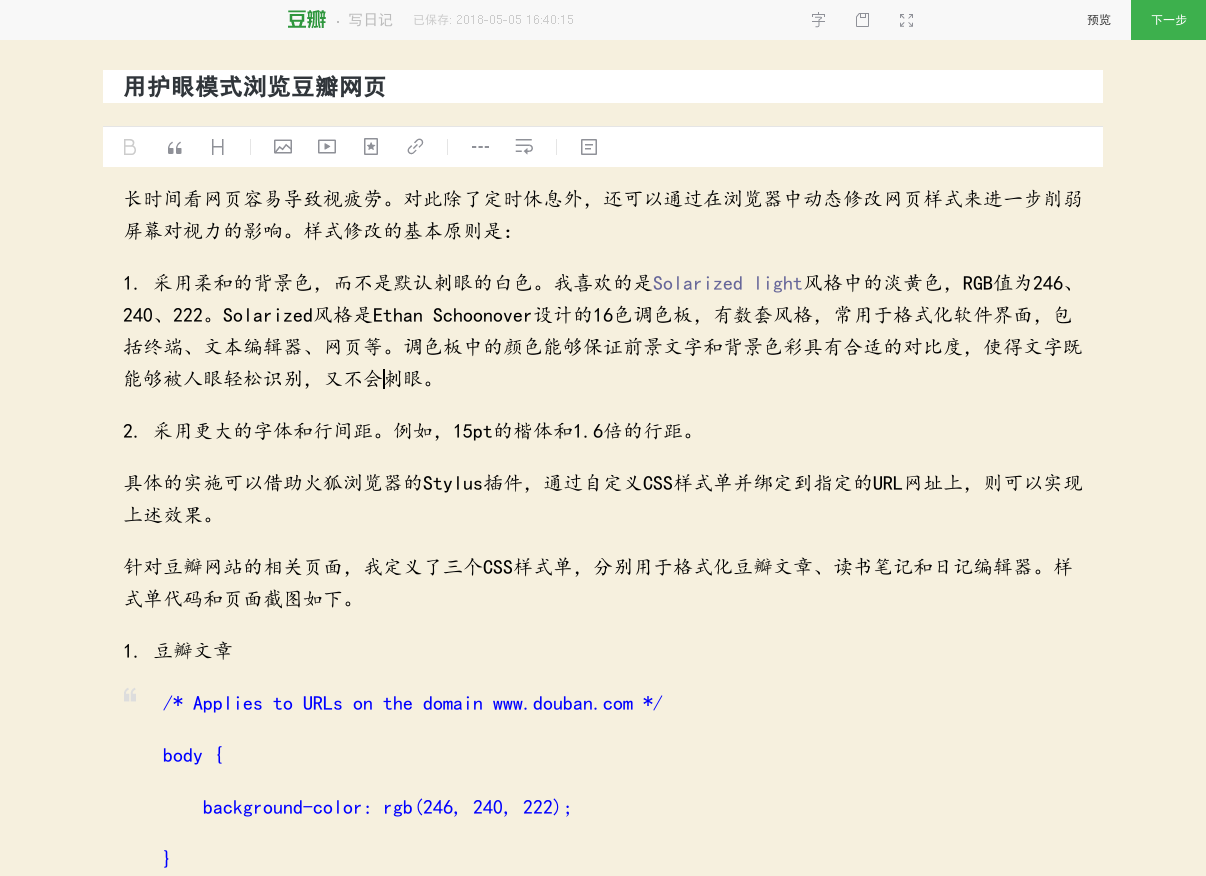
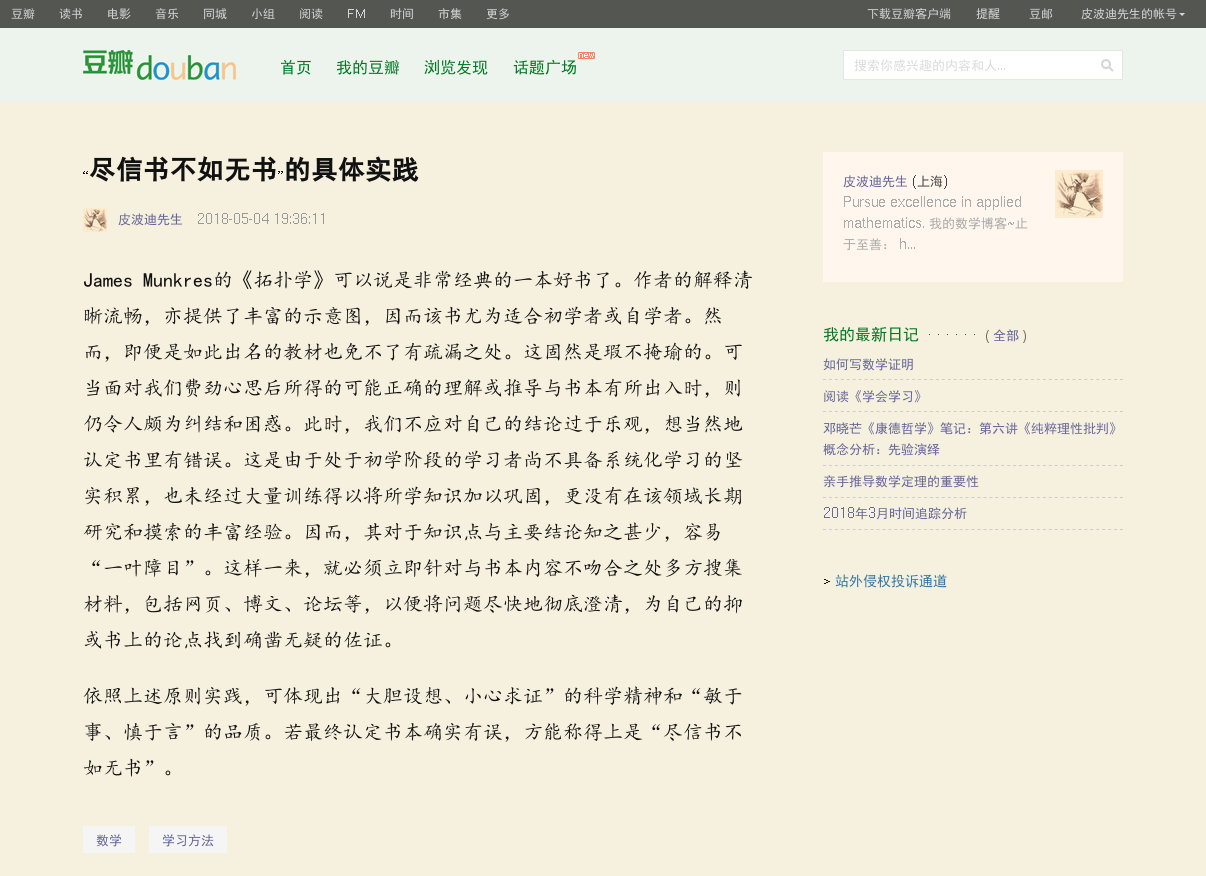
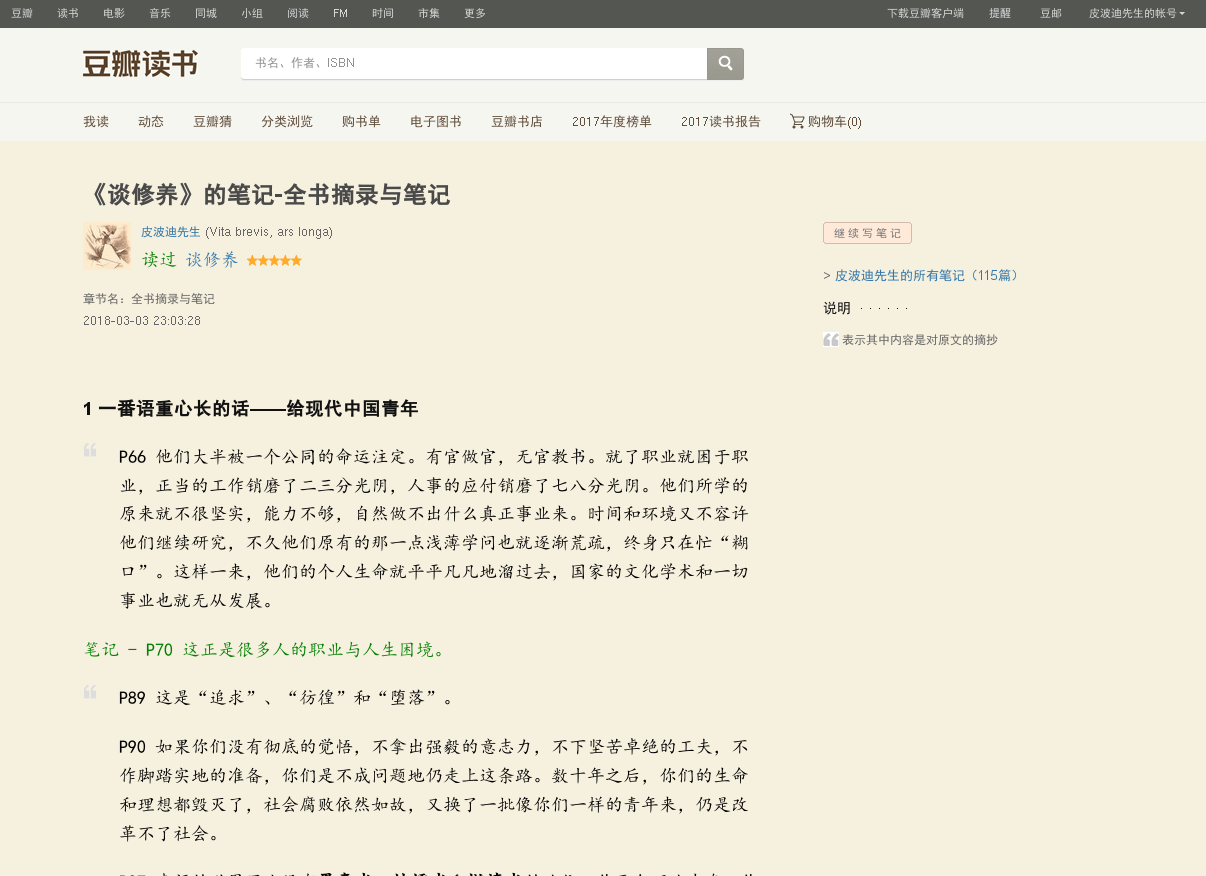
针对豆瓣网站的相关页面,我定义了三个CSS样式单,分别用于格式化豆瓣文章、读书笔记和日记编辑器。样式单代码和页面截图如下。
- 豆瓣文章
/* Applies to URLs on the domain [www.douban.com](https://www.douban.com) */
body {
    background-color: rgb(246, 240, 222);
}

#link-report p {
    color: black;
    font-family: "楷体", "Georgia";
    font-size: 15pt;

    /* Line height is 1.4 times font size */
    line-height: 24pt;
}

#link-report blockquote {
    color: blue;
    font-family: "楷体", "Georgia";
    font-size: 15pt;

    /* Line height is 1.4 times font size */
    line-height: 24pt;
}
- 读书笔记
/* Applies to URLs on the domain book.douban.com */
body {
    background-color: rgb(246, 240, 222);
}

div.article {
    background-color: rgb(246, 240, 222);
}

div.article p {
    color: green;
    font-family: "楷体", "Georgia";
    font-size: 15pt;
    line-height: 24pt;
}

div.article blockquote {
    font-family: "楷体", "Georgia";
    font-size: 15pt;
    line-height: 24pt;
    color: black;
}
- 日记编辑
/* Applies to URLs starting with [https://www.douban.com/note/create](https://www.douban.com/note/create) */
body {
    background-color: rgb(246, 240, 222);
}

#wrapper .grid-16-8 .article {
    width: 1000px;
}

.note-editor {
    width: 1000px;
    position: relative;
}

.public-DraftEditor-content .DRE-unstyled, .public-DraftEditor-content p {
    color: black;
    font-family: "楷体", "Georgia";
    font-size: 15pt;
    line-height: 24pt;
}

.public-DraftEditor-content blockquote {
    color: blue;
    font-family: "楷体", "Georgia";
    font-size: 15pt;
    line-height: 24pt;
}

#link-report p {
    color: black;
    font-family: "楷体", "Georgia";
    font-size: 15pt;
    /* Line height is 1.4 times font size */
    line-height: 24pt;
}

#link-report blockquote {
    color: blue;
    font-family: "楷体", "Georgia";
    font-size: 15pt;
    /* Line height is 1.4 times font size */
    line-height: 24pt;
}